
Download Summfit – Bodyweight Workouts, Fitness App, Health & Fitness Tool
Overview
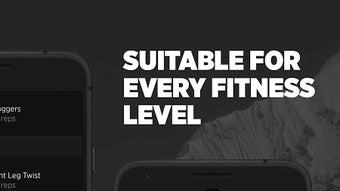
Summfit is a fitness-focused desktop application developed by Summfit GmbH, designed to support users in achieving their physical performance goals through bodyweight training. The software is categorized under Health & Fitness and targets individuals seeking a structured, science-backed approach to exercise. It offers a comprehensive workout system with over 450 exercises, each accompanied by high-definition video tutorials, enabling users to perform movements correctly and safely. The app is intended for all fitness levels, from beginners to advanced users, and is suitable for both home and on-the-go training environments.
Developed by a team of sports scientists, athletes, and fitness coaches, Summfit emphasizes performance improvement and sustainable results. The platform supports personalized workout routines that adapt over time, allowing users to progress at their own pace. It also includes tools for tracking progress, analyzing performance metrics, and sharing achievements with others. Real-world usage scenarios include daily home workouts, fitness challenges, and long-term training plans aimed at building strength, endurance, and overall physical well-being. The software is designed to be a flexible, accessible solution for users who prefer bodyweight training or wish to incorporate equipment into their routine.
Key Features & Capabilities
- Personalized Training System – The software generates individualized workout plans based on user input, adapting over time to match evolving fitness levels and goals.
- Extensive Exercise Library – Over 450 exercises are available, each with detailed video instructions and step-by-step guidance to ensure proper form and technique.
- Bodyweight and Equipment Options – Users can choose between pure bodyweight routines or integrate common fitness equipment, offering flexibility in training setup.
- Performance Tracking & Analysis – Built-in tools allow users to monitor their progress, measure improvements, and visualize performance trends over time.
- Social Sharing Features – Users can share workout results, milestones, and achievements with friends or within the community, enhancing motivation and accountability.
- Adaptive Workout Plans – The system evolves with the user, adjusting intensity and structure to maintain challenge and prevent plateaus.
These features support consistent training habits by providing clear structure, visual learning, and measurable feedback. For example, a beginner can start with foundational movements and gradually advance to more complex routines, while an experienced user can engage in advanced challenges. The integration of video tutorials ensures that users can perform exercises correctly, reducing the risk of injury and improving effectiveness.
User Interface, Workflow & Performance
The user interface is designed with clarity and ease of navigation in mind, allowing users to quickly access workout plans, exercise videos, and progress tracking tools. The workflow is structured to guide users through each stage of their fitness journey—from selecting a routine to completing a session and reviewing results. Navigation is intuitive, with clearly labeled menus and visual cues to support seamless interaction.
While specific performance data such as CPU or RAM usage were not provided, the software is built to function efficiently within standard desktop environments. The developer did not specify resource usage details, so performance may vary based on system configuration. Stability is expected to be consistent, given the application’s focus on delivering smooth video playback and responsive interactions. The software supports offline access to workouts and videos, enabling uninterrupted training without requiring a constant internet connection.
Compatibility & System Requirements
Summfit is available for Windows and Mac operating systems, making it accessible to a broad range of desktop users. The software is designed to run on modern desktop platforms, though exact system requirements were not listed. Installation size is not specified, but the application includes a large library of high-definition video content, suggesting a moderate to substantial disk footprint.
Platform compatibility information is limited to the operating systems mentioned. The developer did not provide additional system requirements such as minimum RAM, processor speed, or GPU specifications. Users are advised to ensure their system meets general desktop software standards to support video playback and smooth operation. For optimal performance, a stable internet connection is recommended for initial setup and updates.
Pros and Cons
Pros
- Comprehensive library of over 450 exercises with high-quality video guidance
- Personalized, adaptive workout plans for all fitness levels
- Flexible training options: bodyweight or equipment-based routines
- Performance tracking and visual progress analysis tools
- Supports offline use for uninterrupted training sessions
- Free to download and use with optional in-app purchases
Cons
- Exact system requirements and file size were not specified
- Performance behavior under heavy load or on older systems is unknown
- Advanced features may require in-app purchases
- Video content may consume significant storage space
- Limited information on data privacy and offline data handling
FAQ Section
Is Summfit compatible with Windows and Mac?
Yes, Summfit is available for both Windows and Mac operating systems, allowing users to access the software on their preferred desktop platform.
Is the software free to use?
Yes, Summfit is free to download and use. The app offers optional in-app purchases to unlock premium features and content.
Can I use Summfit without an internet connection?
Yes, the software supports offline access to workouts and video tutorials, enabling users to train without requiring a constant internet connection.
How often are updates released?
Regular updates are released to improve functionality, fix bugs, and introduce new features. The frequency of updates is not specified.
Is my data secure when using Summfit?
While the software includes features for tracking and sharing progress, specific details about data security, encryption, or privacy policies were not provided.
Final Thoughts + CTA
Summfit stands out as a well-structured, science-informed fitness solution tailored for users committed to bodyweight training and long-term performance improvement. Its extensive exercise library, personalized planning, and progress tracking tools make it a valuable asset for anyone looking to build strength, endurance, and consistency in their routine. The app’s flexibility, combined with free access and offline functionality, enhances its appeal across diverse user groups.
While some technical details remain unspecified, the overall design and feature set reflect a professional approach to fitness software development. Users who value structure, visual learning, and measurable progress will benefit most from this tool. Whether you're starting your fitness journey or refining your training, Summfit offers a reliable and adaptable platform.
Download Summfit now and start transforming your body and performance with a scientifically backed, user-friendly workout system.







